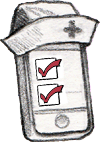
The central concept is simply the to-do list: tasks and their deadlines. Using NurseMind, the nurse finds a task on the list and indicates that it is completed by checking it off. What makes it useful is that he/she can quickly see which task needs to be done next and how much time he/she has.
The Tasks
Where does the task list come from? We start with standard lists of all the tasks any nurse might need to do:
- North American Nursing Diagnosis Association (NANDA) Nursing Interventions Classification (NIC), 5th edition (542 tasks)
- International Classification for Nursing Practice (ICNP) ICNP - English (482 tasks -- the ones with axis IC)
NurseMind does not constrain nurses to work in any particular way or to use any particular vocabulary. If a nurse or nursing unit has its own way of naming a task that's different from NANDA's or ICNP's, they can create new task definitions in NurseMind and share them with other nurses. Thus, the task lists are extensible and customizable to meet the needs of any nurse or nursing unit.
The Shift Definitions
The key to the value of NurseMind for the nurse is the accuracy of the task list (shift definition). If the list contains tasks she never does or lacks those that she does do, it's of little use. Thus, there is no standard shift definition; one size does not fit all. Each unit has its own set of tasks to do for each patient. Every unit is different. Furthermore, a particular nurse may have her own way of doing things. Hence, our strategy is to offer generic shift definitions (task lists that are are as close as we can make them to the way a particular type of unit works) and enable the nurses on a particular unit to fine-tune it.
The shift definition (set of tasks done for each patient on a particular unit) is constructed by modifying a generic task list (adding some, deleting others according to common practice in that unit).
|
|
|
A shift definition is created by starting with a generic list and fine-tuning it for the needs of a specific hospital unit.
The Tasks in a Sample Shift Definition
Here is the generic shift definition for a morning med-surg shift.
| Day Shift Deadline Tasks |
|
|---|---|
| On-Demand Tasks |
|
| Day Shift Non-Deadline Tasks |
|
| Protocols |
|
| Precautions |
|
| Self Care Deficits |
|
Using NurseMind
A nurse is assigned to a unit (where he/she works for weeks or months or perhaps only a single shift.) She/he may float to other units. When he/she starts his/her shift, she pulls out her iPhone or iPod and taps the icon for NurseMind. Then she sets up the to-do list for her shift as follows:
- She selects a shift definition from a menu. Usually it is the top item on the menu because NurseMind builds the menu with the most recently-used on top. If this is the first time she is using a particular shift definition, she selects her hospital, unit, shift time (day, evening, night, etc.) and duration (8 or 12 hours) from cascading menus, and then selects the shift definition (usually there is only one) for that unit in that hospital.
- As she receives report from the outgoing nurse, she enters her patients' info, or chooses them from a menu of recent patients if they were present on recent shifts. Some patients were there yesterday so their data is carried forward and needn't be entered again. If a patient is new, she enters the initials of their name (actual names and other PHI should not be entered), room/bed number, sex, age (not date of birth), and whether special interventions are needed such as diabetes care, special diet or NPO (nothing by mouth), wound care, risk for falls, risk for aspiration, etc. She can also enter data (such as primary goal for the patient for the shift, or admitting diagnosis) that she wants to bear in mind during her assessments and decisions about patient care. The task list specific to the unit (the shift definition) is applied to each patient. By combining the unit's shift definition with the patients' special interventions, NurseMind builds a task list that includes everything she must do on her shift.
Some tasks have deadlines; if the nurse has selected an alarm in her preferences, it will ring. Ordinarily, the task list is represented as icons color-coded by status (clear background means not yet due; green means done; yellow means do now; red means late). The to-do list can also be ordered to show the tasks for the patient(s) whose room she is in; the use case is, "Show me everything I must do in this room." When she's done a task, she marks it done. NurseMind timestamps the completed task and saves it to the server.
The Shift-at-a-Glance Screen on the iPhone |
|---|
NurseMind helps the nurse be reminded of her top priorities and patient care issues. Its compelling metaphor and intuitive graphical user interface makes it easy for her to learn and she quickly finds it indispensable and even fun. For example, the nurse often needs to know, "What is my next deadline (e.g. turning a patient at nine o'clock, then ten o'clock meds)" and "How much time do I have until I must start that?" This helps her make time management decisions such as whether she has enough time now to tackle a non-deadline task such as charting.
The central mechanism is a display we call shift-at-a-glance. It is based on a conceptual metaphor we call the River of Time, that is the central invention(patented by us -- see Intellectual Property below). Tasks are represented as icons in a horizontal time continuum that flows from right to left. The present moment is a vertical line (the yellow "now" line) that stays centered in the display. It starts at the beginning of the shift and task icons move across it as they become due, until the end of the shift. The icons representing tasks that have been completed turn green. At a glance, the nurse can see that the next task is to be done in about five minutes, so she doesn't have time to do the half hour task that's waiting. The icons that represent tasks that are late turn red to the left of the "now" line. In this screenshot, there are two. Tap on a patient or task icon to see its details; tap on the detail box to see more details (the patient or task info screen).
The Shift-at-a-Glance Screen, pinched |
|---|
Use the "pinch" gesture to squeeze more of the display onto the screen to see more of the shift's tasks at once. Open areas are good times for taking breaks, and clusters of icons indicate potential bottlenecks.
The Work Diary
The work diary is a valuable benefit made possible by collecting worked shift and completed task data on the server. It is useful to three categories of people: nurses themselves, nursing unit/hospital management, and government/researchers.
Nurses who subscribe can access the fine-tuned shift definitions, and see summaries and analyses of their nursing work history. Password protection prevents anyone but the nurse herself seeing her own data; others see only aggregate reports. These nurse's reports are of particular value to:
- Traveling and registry nurses keeping track of where they've worked
- Career-conscious nurses assembling proof of their professional experience
- Nurses preparing for performance evaluations by supervisors
This benefits the nurse herself, enabling her to build complete and accurate resumes ("I have worked 2345 hours in the past year"), review summaries of her experience ("I have placed 45 nasogastric tubes, cared for 123 diabetics, etc."), verify her paycheck stub against actual hours worked, and so on.
It also benefits hospital management who will be able to see aggregate data (not individual nurses' work data; nurses' privacy is protected) for their institution (nursing managers, hospital staff planners, financial analysts). For these people it reveals summaries of nursing unit characteristics never before available, including:
- Acuity
- Productivity
- Workflow (what tasks are being done, how often and in what order)
Units can collect statistics on shift tasks, which could help with delegation (review tasks done at certain times by nurses that could be done by less-expensive non-nurses). It could be used to verify interventions done for safe patient care in timely manner (quality and safety implications). Example: prior to NurseMind, unit audit of medications charting revealed 20 late or omitted med errors per 30 cases. With NurseMind, the same unit reported 5 late meds and 0 omitted. Reduction of overtime thanks to improved workflow offers substantial financial implications. Reminders and checklists that prompt the nurse to do the next priority task or intervention can achieve this. It helps the nurse stay on track and finish on time. It can also help a unit that is understaffed show that its workload is unrealistic with its present staffing matrix.
Regional and national aggregation of this data will yield reports about nursing work that have never before been available. This is beneficial to researchers, statisticians, and epidemiologists.